How Do I Compare Two AI Voice Vendors Without Getting Fooled by a Slick Demo?
A polished AI voice demo can make almost any vendor sound impressive. The voice is smooth, the caller asks a convenient question, and the system delivers a tidy answer without anyone interrupting, changing their mind, or asking for a person. Real calls are less cooperative.
A useful vendor comparison tests what happens when speech is messy, the conversation goes off script, or the system cannot safely complete the task. It also looks beyond the voice itself: how the product handles identity, privacy, integrations, escalation, and failures. This guide offers an evaluation checklist and practical real call tests you can run before choosing a vendor.
Why Familiar Support Experiences Frustrate People
Traditional interactive voice response (IVR) systems tend to make callers adapt to the system. “Press 1 for billing” works until a caller has a question that spans billing and account access. Long menus impose extra work before the caller can explain the problem, and returning to the start after a wrong turn is especially irritating.
Scripted chatbots often create a similar problem in text.
They may recognize a narrow set of expected phrases but struggle when someone adds context, corrects an answer, or asks a related question. A bot that repeatedly offers buttons after the customer has clearly asked to speak with support is not just inconvenient; it signals that the system is not listening.
These older approaches are not automatically bad. Menus can be predictable, and scripted flows can work well for simple, controlled tasks. The trouble comes when a company uses them for situations where customers need to explain, clarify, or change direction. When comparing vendors, ask which tasks should be handled through automation—and which should be routed to a person quickly.
What Has Changed in AI Voice
Recent advances have improved speech recognition, speech generation, and the ability to interpret conversational context. That makes it possible to build voice agents that can handle more natural exchanges than a fixed menu. But “more natural” does not mean flawless, and it should not be a substitute for a specific capability claim.

Ask vendors to demonstrate concrete behaviors. Can the agent understand a correction? Does it remember information provided earlier in the call? Can it handle a pause, an interruption, or a background noise burst? Does it admit when it does not know? And when it cannot complete the task, can it transfer the caller with useful context instead of making them start over?
Industry analysis from organizations such as Gartner and Grand View Research can help teams understand broader trends and market categories. Those materials provide context, not proof that a particular vendor will work in your support operation. Your own call scenarios, data, and service requirements should carry more weight than a market forecast or a striking demo.
How a Voice Agent Works: TTS, ASR, and Language Models
A voice agent usually combines several components. Understanding the handoffs helps you ask better questions and identify where a failure is likely to occur.
- ASR (automatic speech recognition) converts spoken audio into text or another representation the system can process. Performance can vary with accents, names, noisy environments, microphone quality, and overlapping speech.
- A language model or dialogue system interprets what the caller wants, uses the conversation context, and determines a response or action. It may also rely on approved knowledge sources, business rules, and integrations.
- TTS (text-to-speech) turns the response into spoken audio. Voice quality, pronunciation, pacing, and the ability to interrupt playback all affect the experience.
The components may run in a connected pipeline or be combined through a speech-to-speech approach. This reminds me of something that happened was shocked by the final bill.. Either way, assess the complete interaction, not just a voice sample. A pleasant TTS voice cannot compensate for misunderstood speech. Accurate ASR does not guarantee a relevant answer. A capable language model may still fail if it lacks permission to perform the requested action or cannot access current account data.
Build a Vendor Comparison Around Real Work
Before scheduling demos, choose a small set of support tasks that matter to your customers and business. Include straightforward requests, edge cases, and cases that require escalation. Give both vendors the same scenarios, similar prompts, and comparable time to configure the test. If one vendor gets extensive coaching and the other gets a cold start, the comparison will be misleading.
Write down what a successful outcome means for each scenario. For example, “verify the caller before discussing account details,” “confirm the appointment change,” or “transfer to a person without asking the customer to repeat the issue.” Avoid scoring a system as successful just because it produced a plausible-sounding answer.
Evaluation Checklist
- Task completion: Did the agent finish the request correctly, or just talk about it?
- Conversation handling: Can the caller interrupt, correct a detail, change topics, or ask for clarification?
- Recognition: Does the system handle your customers’ accents, names, terminology, and likely call conditions?
- Grounding: Are answers based on approved, current information? Can the vendor show where an answer came from?
- Escalation: Can the agent recognize a limit, offer a human handoff, and pass along relevant context?
- Integration: Can it safely read or update the systems needed for the task? What happens when an integration is slow or unavailable?
- Operations: Can your team review conversations, adjust policies, investigate failures, and measure outcomes?
- Privacy and security: What data is captured, where is it processed, who can access it, and how long is it retained?
- Cost and limits: What is billed—minutes, characters, requests, or something else? Are there rate limits, overage charges, or separate fees for features?
Run Real Call Tests, Not Just Scripted Demos
Schedule a structured test with representatives from support, product, security, and operations. Use the same test plan for each vendor and keep a simple record of what happened: task result, time to respond, number of corrections, escalation quality, and any unsupported claims. If possible, repeat important tests. A single successful call is not evidence of reliability.
- Interrupt the agent. Start talking while it is mid-sentence. Does it stop promptly and listen, or keep playing over you? Try interrupting with a correction, not just a generic “wait.” This is one of the fastest ways to expose a demo that only works in clean turns.
- Change a detail. Ask to move an appointment, then correct the date or time. Confirm whether the agent updates the right detail and reads back the final result before committing.
- Use an ambiguous request. Ask for something that could have two meanings. A reliable agent should ask a useful clarifying question rather than confidently guessing.
- Introduce an unfamiliar question. Ask something outside the approved knowledge base. Listen for an honest limitation, an appropriate next step, and a safe handoff—not an invented policy.
- Test a failed integration. Simulate a timeout or unavailable system. Does the agent explain the issue, avoid claiming that an action succeeded, and offer another path?
- Ask for a person. Try this early and late in the call. Check whether the handoff is available, how long it takes, and whether the human receives a useful summary.
Include realistic interruptions and difficult audio without turning the test into a gotcha contest. The goal is to discover how the system behaves under conditions your customers actually encounter. Note the exact phrases that create friction. An agent that says “I can certainly help with that” three times without taking action deserves a place in your own bad-IVR-moments notebook.
Score Outcomes, Not Charisma
Voice quality matters, but it is only one part of the experience. Score each vendor across several dimensions and agree on the weights before testing. For a support team, safe completion and successful escalation may matter more than a voice that sounds especially polished.
Dimension What to observe Evidence to request Task accuracy Whether the requested action was completed correctly Test results across repeated scenarios, including errors and corrections Turn-taking Response delay, interruptions, and whether the agent listens after being cut off Live calls using your devices and realistic audio conditions Recovery How the system handles confusion, missing data, and unavailable services Documented fallback behavior and tested escalation flows Control How teams manage content, permissions, and changes Admin workflows, audit records, and configuration examples Privacy What is collected, retained, shared, or used for training Contract terms, retention settings, subprocessors, and consent optionsKeep scores separate from notes. A numerical rating makes options easier to compare, but it can hide an important failure. For example, a strong average score should not cancel out a serious privacy gap or an agent that tells callers an uncompleted transaction succeeded. Set minimum requirements for critical areas before you begin.
Mobile Apps Add Context—and Responsibility
Mobile apps are a natural channel for voice support because a customer may already be signed in and using Great post to read the product. With appropriate permission and design, an app can pass relevant context—such as the page the customer is viewing or the task they were attempting—so the person does not have to explain everything again. That context can make support more direct than a caller entering a phone menu from scratch.
But context is not a free pass to use every piece of available data. Be explicit about what information is shared with the voice service, why it is needed, and when the customer is asked for consent. A signed-in state also does not automatically mean that every support action is safe to perform. Define authentication and confirmation requirements for sensitive changes.
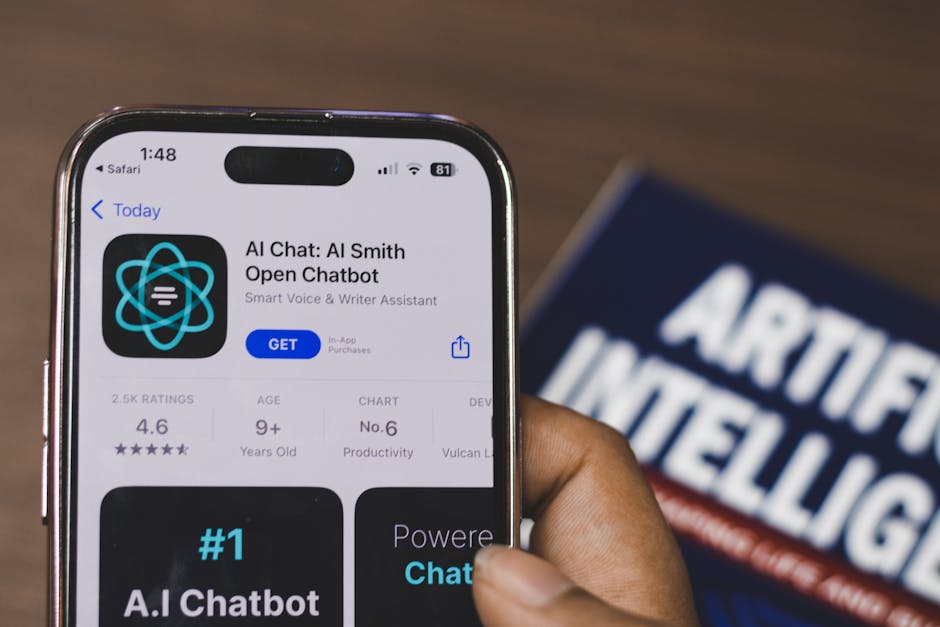
When testing on iOS, try the experience on real devices and under realistic conditions: lock and unlock the phone, switch apps, deny microphone permission, lose connectivity, and move between headphones and the device speaker. Check what happens when the app is backgrounded or a call is interrupted. If you use the ElevenLabs iOS App as a reference call center automation benefits point for experiencing voice tools, treat it as a way to explore an interface—not as evidence that a separate vendor’s customer-support deployment will behave the same way.
Ask the Uncomfortable Privacy and Reliability Questions
Request direct answers, not broad assurances. Ask how long audio, transcripts, and derived data are retained; whether retention can be configured; whether customer data is used to train models; and which subprocessors can access it. Confirm how consent is obtained and recorded, and what deletion means across backups and downstream systems.
Also ask how the vendor monitors quality after launch. Who reviews failures? Can you inspect transcripts or audio under appropriate access controls? How are model or configuration changes tested before release? What service limits apply during traffic spikes, and what does the fallback experience look like during an outage? A vendor that is candid about limitations is often easier to evaluate than one promising that the agent “handles everything.”
Make the Decision With a Pilot
Use a limited pilot before committing to a broad rollout. Choose a defined set of intents, a measurable success target, and a clear route to human support. Pretty simple.. Compare the AI-assisted experience with your existing baseline, including customer effort and operational impact—not only containment rate. Monitor incorrect answers, repeated questions, transfer failures, and abandonment as closely as successful completions.
The right vendor is not necessarily the one with the most expressive voice or the most confident demo. It is the one that performs reliably on your real calls, respects your privacy requirements, integrates with your operation, and fails safely when it cannot help. A disciplined vendor comparison turns a sales presentation into evidence: repeatable real call tests, a clear evaluation checklist, and proof of how the system behaves when the conversation stops being convenient.